 Menu
Menu
- Wyposażenie firm
- Kable i konwertery
- Smart home
- Telewizory
- Gry w dystrybucji elektronicznej
- Eksploatacja
- Pamięci
- Sieci komputerowe
- Monitoring
- Nośniki danych
- Akcesoria komputerowe
- Smartfony
- Sprzęt komputerowy
- Akcesoria GSM
- Środki czystości
- Do samochodu
- Baterie i akumulatory
- Druk 3D
- Peryferia
- Oprogramowanie
- Zabawki
- Artykuły dla zwierząt
- Survival
- Artykuły dla domu
- Fotowoltaika
- Samoobrona
- Sport
- Sprzęt audio
- Odzież militarna
- Instrumenty muzyczne
- Foto
- Nowości
- Promocje
Producenci
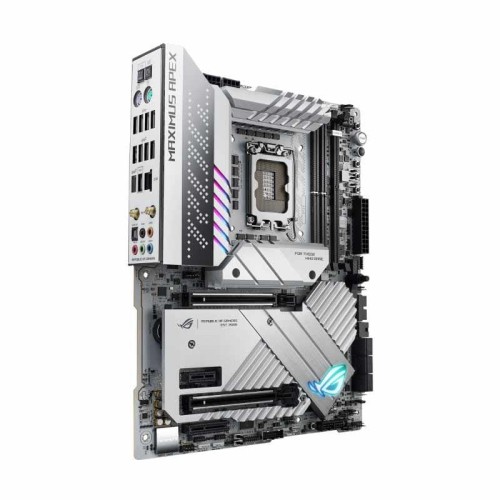
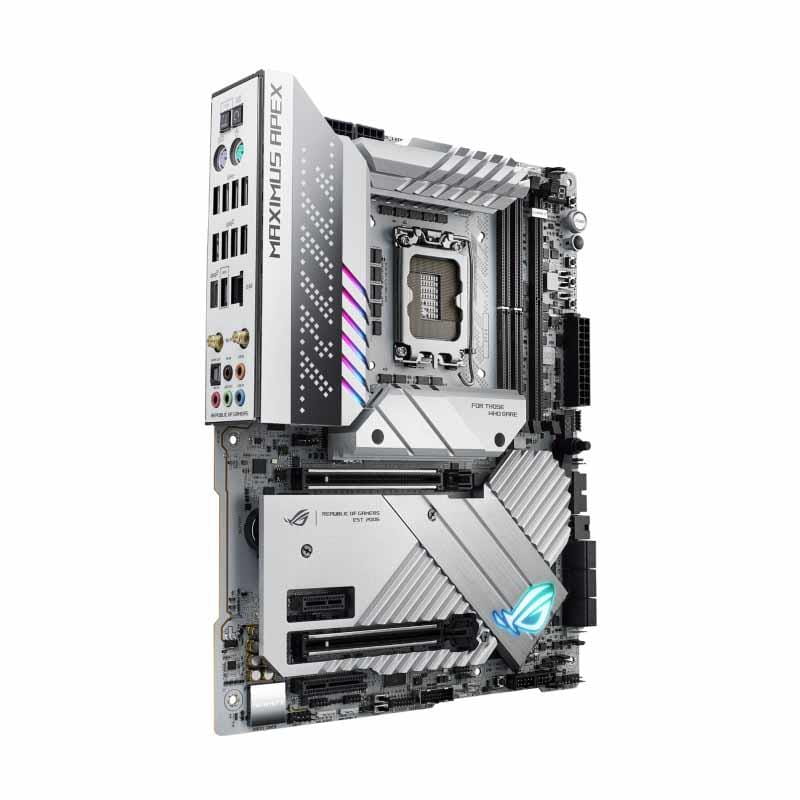
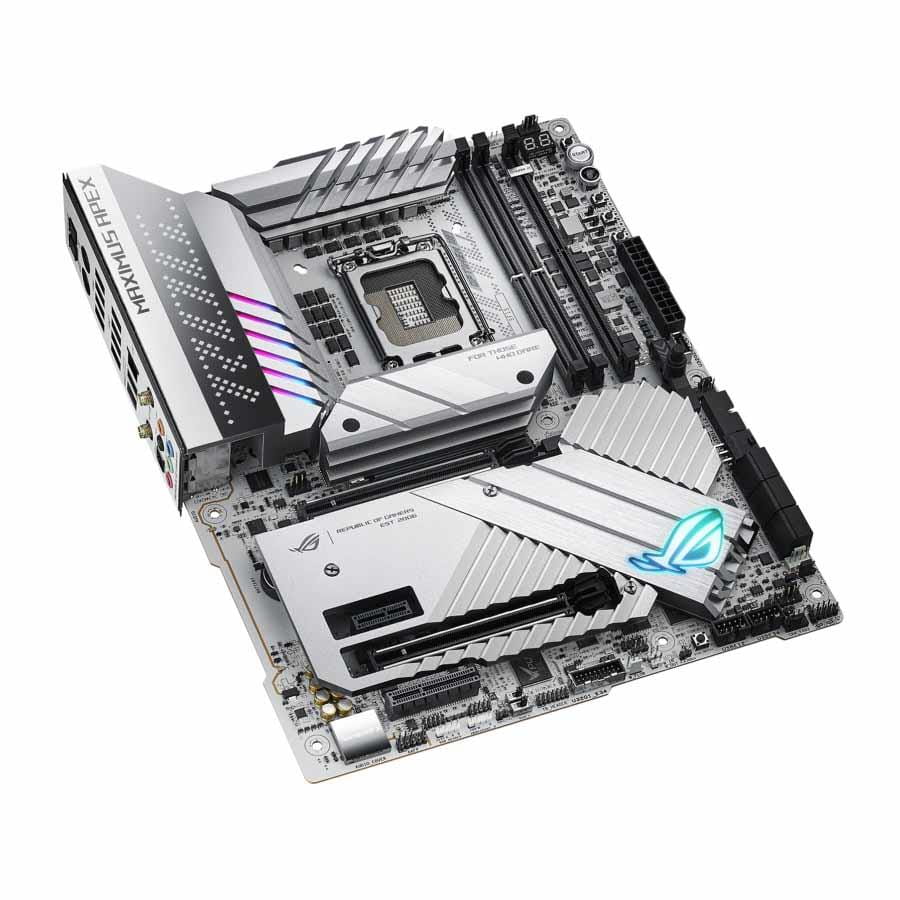
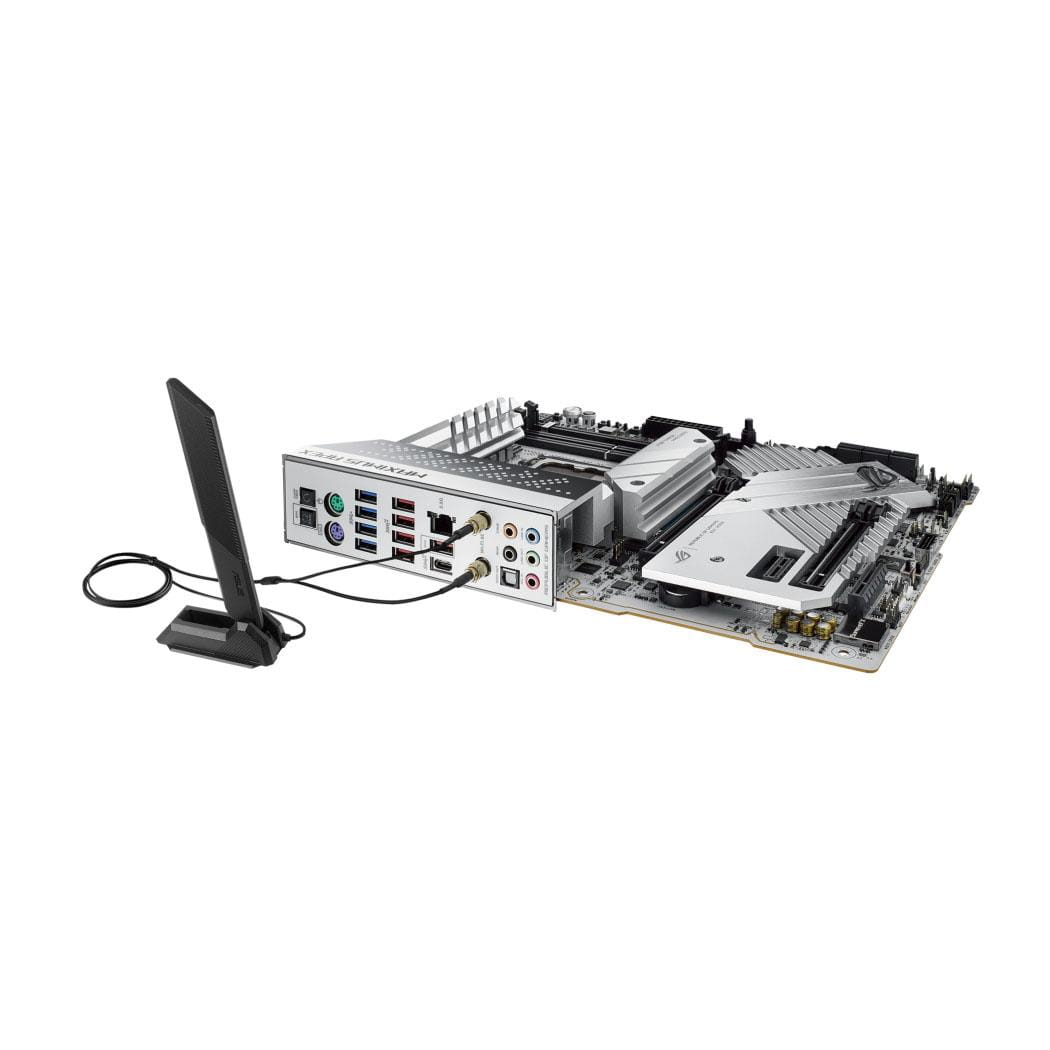
Płyta Asus ROG MAXIMUS Z790 APEX /Z790/DDR5/SATA3/M.2/USB3.2/WiFi/BT/PCIe5.0/s.1700/ATX

Dostępność:
brak towaru
Cena brutto:
3 048,00 zł
Cena regularna:
Cena netto:
2 478,05 zł
Cena regularna:
towar niedostępny
dodaj do przechowalni
Opis
| Gniazdo procesora | Socket 1700 |
| Obsługiwane typy procesorów | Intel Core i3 12th Generation Intel Core i5 12th Generation Intel Core i7 12th Generation Intel Core i9 12th Generation Intel Core i3 13th Generation Intel Core i5 13th Generation Intel Core i7 13th Generation Intel Core i9 13th Generation Intel Pentium™ (Socket 1700) Intel Celeron™ (Socket 1700) |
| Uwagi do procesora | Supports Intel® Turbo Boost Technology 2.0 and Intel® Turbo Boost Max Technology 3.0 Refer to www.asus.com for CPU support list Intel® Turbo Boost Max Technology 3.0 support depends on the CPU types |
| Format płyty | ATX |
| BIOS | 2 x 256 Mb Flash ROM, UEFI AMI BIOS |
| Chipset płyty głównej | Intel® Z790 |
| Ilość złącz pamięci DDR5 | 2 |
| Maksymalna wielkość pamięci | 64 GB |
| Tryb pracy pamięci RAM | Dual Channel |
| Standard pamięci | DDR5-4800 DDR5-5000 DDR5-5200 DDR5-5400 DDR5-5600 DDR5-5800 (OC) DDR5-6000 (OC) DDR5-6200 (OC) DDR5-6400 (OC) DDR5-6600 (OC) DDR5-6800 (OC) DDR5-7000 (OC) DDR5-7200 (OC) DDR5-7466 (OC) DDR5-7600 (OC) DDR5-7800 (OC) DDR5-8000 (OC) |
| Uwagi do pamięci RAM | ECC, Un-buffered Memory Supports Intel® Extreme Memory Profile (XMP) OptiMem III Supported memory types, data rate (Speed), and number of DRAM modules vary depending on the CPU and memory configuration, for more information refer to www.asus.com for memory support list |
| Zintegrowany kontroler SATA | Chipset+CPU: 6x SATA III 6Gb/s - RAID 0,1,10 + 5x M.2 - RAID 0,1,10 |
| Uwagi do kontrolera SATA | Total supports 5 x M.2 slots and 6 x SATA 6Gb/s ports Intel® 13th & 12th Gen Processors: - M.2_1 slot (Key M), type 2242/2260/2280 (supports PCIe 4.0 x4 mode) - PCIe 5.0 M.2 slot (Key M) via PCIe 5.0 M.2 card,type 2242/2260/2280/22110 Intel® Z790 Chipset: - M.2_2 slot (Key M) type 2242/2260/2280 (supports PCIe4.0 x4 & SATA modes) - DIMM.2_1 slot (Key M) via ROG DIMM.2, type 2242/2260/2280/22110 (supports PCIe 4.0 x4 mode) - DIMM.2_2 slot (Key M) via ROG DIMM.2, type 2242/2260/2280/22110 (supports PCIe 4.0 x4 mode) - 6 x SATA 6Gb/s ports Intel® Rapid Storage Technology supports PCIe & SATA RAID 0/1/5/10 RAID configuration & boot drives are not supported on the SATA6G_E1-2 ports |
| Wbudowana karta graficzna | Brak |
| Gniazda karty graficznej | Brak |
| Uwagi do karty graficznej | |
| Zintegrowana karta dźwiękowa | ROG SupremeFX 7.1 Surround Sound High Definition Audio CODEC ALC4080 |
| Gniazda karty dźwiękowej | 5x Audio Jack Wyjście optyczne S/PDIF |
| Uwagi do karty dźwiękowej | - Impedance sense for front and rear headphone outputs - Supports: Jack-detection, Multi-streaming, Front Panel Jack-retasking - High quality 120 dB SNR stereo playback output and 113 dB SNR recording input - Supports up to 32-Bit/384 kHz playback Audio Features: - SupremeFX Shielding Technology - Savitech SV3H712 AMP - Gold-plated audio jacks - Rear optical S/PDIF out port - Premium audio capacitors - Audio cover |
| Złącza PCI Express x16 | 2 |
| Złącza PCI Express x4 | 1 |
| Złącza PCI Express x1 | 1 |
| Uwagi do złącz PCI | Intel® 13th & 12th Gen Processors: - 2 x PCIe 5.0 x16 slots (supports x16 or x8/x8 modes) When the PCIE 5.0 M.2 card is installed on the PCIEX16(G5)_2, PCIEX16(G5)_1 will run x8 only Intel® Z790 Chipset: - 1 x PCIe 4.0x4 slot - 1 x PCIe 4.0x1 slot Please check the PCIe bifurcation table on the support site (https://www.asus.com/support/FAQ/1037507/) To ensure compatibility of the device installed, please refer to https://www.asus.com/support/ for the list of supported peripherals |
| Port LAN | 1x 2,5 Gigabit LAN 100/1000/2500 Mb/s (Intel®) |
| Uwagi do karty sieciowej | SUS LANGuard |
| Maksymalna ilość portów USB 2.0 | 4 |
| Maksymalna ilość portów USB 3.x | 15 |
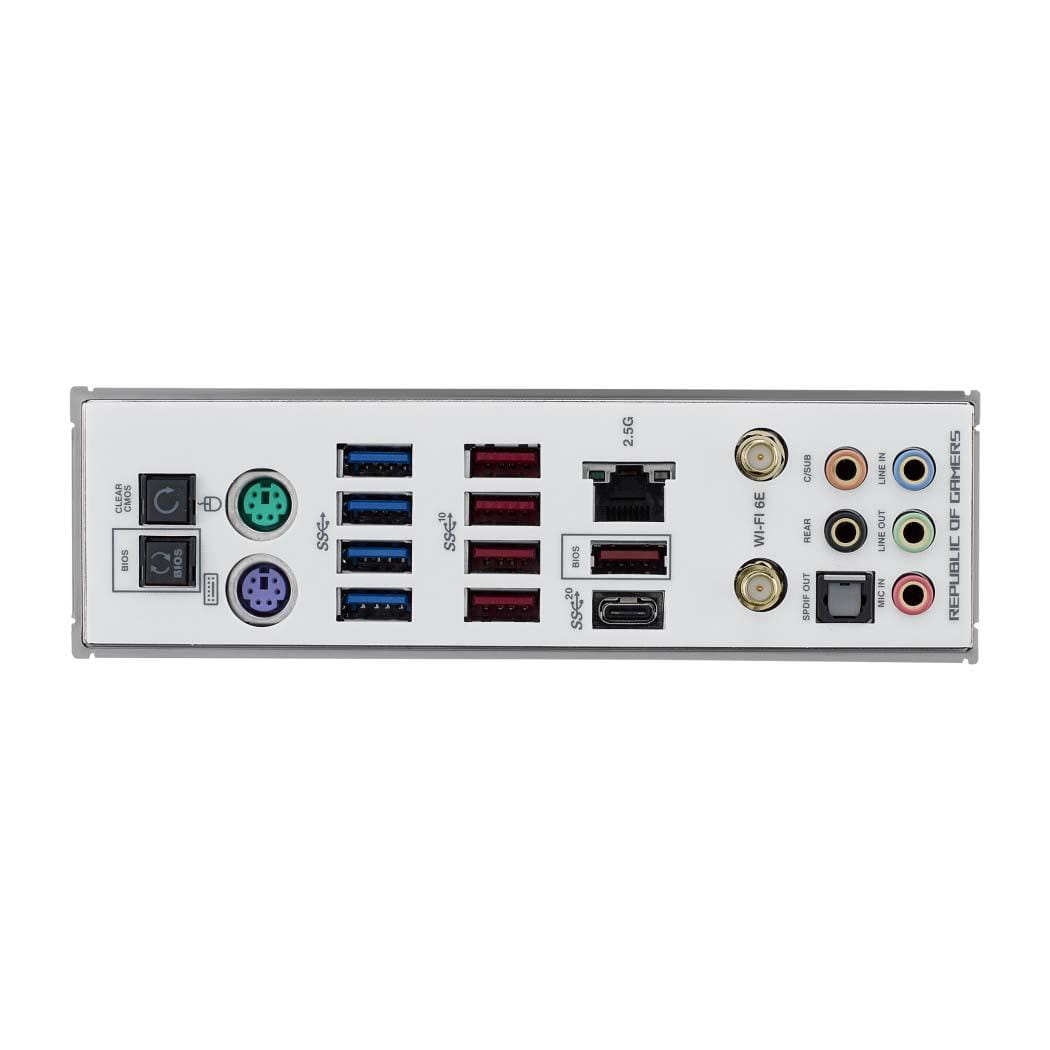
| Porty USB na panelu tylnym | 4x USB 3.0 + 5x USB 3.1 + 1x USB 3.2 Type-C |
| Gniazda USB na płycie głównej | 2x USB 2.0 (4 porty) + 2x USB 3.0 (4 porty) + 1x USB 3.2 Type-C (1 port) |
| Port Wi-Fi | IEEE 802.11a/b/g/n/ac/ax |
| Port Bluetooth | Bluetooth V5.3 |
| Port PS/2 | Port klawiatury PS/2 Port myszy PS/2 |
| Port szeregowy (COM) | Brak |
| Port równoległy (LPT) | Brak |
| Inne porty i gniazda | Gniazdo anteny WiFi Przycisk BIOS FlashBack na panelu tylnym Przycisk Clear CMOS na panelu tylnym 4-pin CPU Fan header 4-pin CPU OPT Fan header 4-pin AIO Pump header 3x 4-pin Chassis Fan headers 2x 4-pin Full Speed Fan headers W_PUMP+ header 2-pin Water In header 2-pin Water Out header 3-pin Water Flow connector 80 Light Bar jumper 3x Addressable Gen 2 header AURA RGB header 2x BCLK button BIOS Switch button FlexKey button LN2 Mode jumper Osc sense header Pause switch 12x punkt pomiaru ProbeIt ReTry button 2x RSVD switches RSVD header Safe Boot button Slow Mode switch Start button V_Latch switch 10-1 pin System Panel header Thunderbolt™ (USB4®) header Thermal Sensor header |
| Gniazdo zasilania | ATX (24-pin) + 2x ATX12V (8-pin) + PCIe (6-pin) |
| Wymiary [S x W] (mm) | 305 x 244 |
| Opakowanie | BOX |
| Wyposażenie dodatkowe | ROG DIMM.2 with heatsink, M.2 pad & 2x M.2 screw package for ROG DIMM.2 PCIe 5.0 M.2 Card with heatsink,M.2 screw package for ROG PCIe 5.0 M.2 Card Thermal pad for M.2, DDR5 Fan holder, DDR5 Fan, DDR5 Fan screw ASUS Wi-Fi moving antennas, Q-connector, ROG overclocking medal ROG thank you card, 2x M.2 Q-Latch packages for M.2 backplate 2x M.2 backplate Rubber Packages, USB drive with utilities and drivers |
| Informacje dodatkowe | Wi-Fi 6E: 2x2 Wi-Fi 6E (802.11 a/b/g/n/ac/ax) Supports 2.4/5/6GHz frequency band WiFi 6E 6GHz regulatory may vary between countries The Bluetooth version may vary, please refer to the Wi-Fi module manufacturer's website for the latest specifications Front Panel USB 3.2 Gen 2x2 with Quick Charge 4+ Support: - up to 60W charging - Output: 5/9/15/20V max. 3A, PPS:3.3–21V max. 3A - ompatible with PD3.0 and PPS To support 60W, please install the power cable to the 6-pin PCIe power connector or else only 27W will be supported The rear panel Lime (Line out) port does not support spatial audio. If you wish to use spatial audio make sure to connect your audio output device to the audio jack on the front panel of your chassis Manageability: WOL by PME, PXE Operating System: Windows® 11, Windows® 10 64-bit |